App Store Optimization, on your Mac
ASO MCP server: connect your agent to store research and drafts
An ASO MCP server gives an AI agent a connection to the research and actions behind an app-store workflow. Use it to investigate a specific market, prepare a reviewable proposal and distinguish a request to read data from a request to publish changes.
See AppNorth for Mac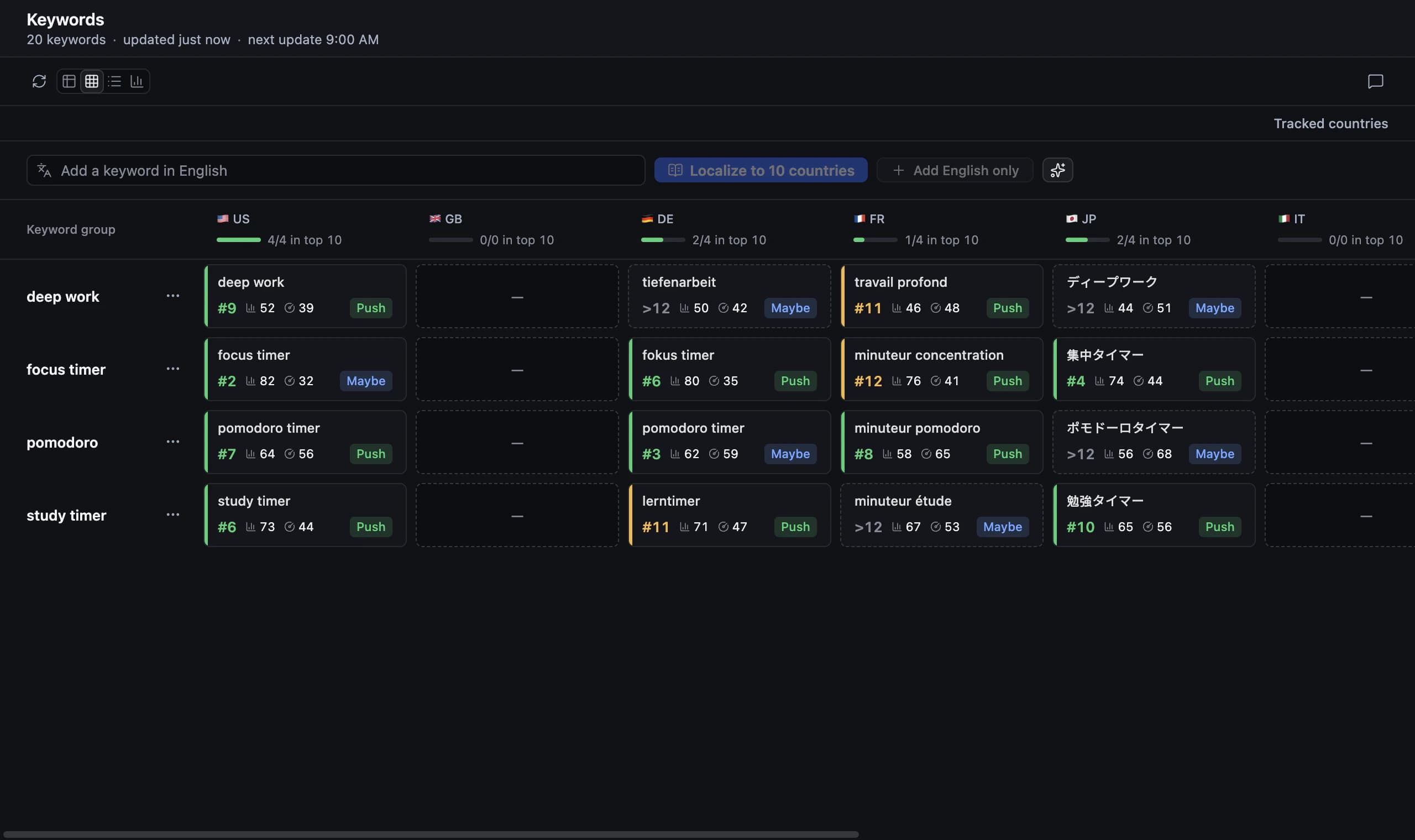
What an ASO MCP server adds to an agent
MCP connects an AI client to tools it can use during a task. In ASO, the useful difference is access to store context beyond the model’s general knowledge: candidate searches, competing apps, existing metadata and country-specific observations. The server does not choose your positioning for you. You still need a product brief, a target market and a question worth investigating.
AppNorth is a Mac app with a local MCP server offering 127 tools. Its ASO workflow covers keyword research, ranks, competitors, audits, listing optimization and localized prices for App Store and Google Play work. Treat the tool count as the breadth of the connection, not a reason to ask for every operation in one prompt or assume identical data across both stores.
Connect the installed agent from AppNorth
Use the one-click “Add to …” button in AppNorth for your installed agent, such as “Add to Claude Code”, “Add to Codex” or “Add to Cursor”. AppNorth starts itself when the agent needs it. AI features use your own CLI; supported choices include Claude Code, Codex, Gemini CLI, OpenCode, Cursor, Grok and Ollama.
Start with a narrow verification task: “Use AppNorth to inspect the research context for my app in Spain. Summarize what is available and what is missing. Do not change anything.” An App Store MCP server connection becomes useful when you can identify the intended project and country. There is no need to begin by authorizing a large research-and-publication task.
Define an ASO MCP research task with clear inputs
Provide the app or idea, platform, country, user problem and exclusions. AppNorth supports research without an app or with a published app added by link or search. Its product brief and “Don’t target” list keep AI suggestions on the product. A focused task lets you compare candidate terms without drifting into adjacent audiences your app does not serve.
For PantryThread, a fictional pantry organizer used as an example, ask: “Research pantry inventory searches for the US App Store. Exclude grocery delivery and calorie tracking. Compare relevant competing results, label missing data and recommend a small keyword group. Stop before listing edits.” AppNorth shows official Apple Ads popularity only with your own connected account; otherwise it displays “—”, which the agent should preserve.
Separate research, drafting and publication
Give each stage a distinct output. Research should return observations and uncertainties; drafting should return proposed copy with reasons; publication should apply text you have reviewed. This makes errors easier to catch. If an agent selects a term that implies an unsupported feature, you can correct the brief before that misunderstanding reaches multiple localized drafts.
AppNorth offers three AI drafts for name, subtitle and keywords, scored by reach and difficulty against the current listing within Apple’s limits. It also supports localization to 50 App Store listing languages, promotional text and descriptions. Ask for alternatives tied to your research question, then review meaning, field fit and product claims before choosing which version to publish.
Scope an App Store Connect MCP task precisely
An App Store Connect MCP task needs a clear destination and an approved change. In AppNorth, publishing fills a draft version in App Store Connect with the approved metadata; it never submits the app for review. Ask the agent to summarize the fields and languages involved before you proceed, so a broad instruction such as “update the listing” does not hide the actual scope.
Keep Google Play work in its own platform context. AppNorth supports keyword research, positions, competitor comparisons, listing editing and publishing, and localized prices for Android apps, using a Google Play service account. Google Play publishing goes through Google’s own review. Price localization is another distinct decision: AppNorth uses purchasing-power comparisons in 175 territories, rounded to Apple price points, and can publish price changes to either store.
Understand local storage, online calls and long tasks
Local describes where the ASO workspace lives, not a promise that every operation is offline. AppNorth requires no account; projects, drafts and keys stay on the Mac. Store keys are encrypted with a key kept in macOS Keychain and sent only to Apple or Google. Online checks include license activation, app updates and calls to the stores and the AI provider you choose.
AI runs through your own CLI without AppNorth AI credits; your provider’s terms and costs apply. Long tasks run in the background and can be paused or stopped. Begin with one country and a defined output before expanding the scope. A larger task still needs the same product constraints, evidence checks and review of proposed changes as a smaller one.
| Task stage | Useful request | Review point |
|---|---|---|
| Research | Compare a search intent in one country | Relevance, competing results and missing popularity |
| Audit | Explain priority fixes for the selected country | Evidence behind the score; full score needs Apple Ads |
| Drafting | Prepare alternatives tied to a product brief | Supported claims, language and field limits |
| Publication | Apply the approved metadata | App Store Connect draft version or Google Play review |
Before you start
Is AppNorth’s MCP server a hosted web service?
No. AppNorth provides a local MCP server in its Mac app, which requires macOS 14 or later and supports Apple Silicon and Intel. There is no web app or Windows version. Projects and drafts stay on your Mac, while store requests and your chosen AI provider still involve online calls.
Which agents can I use with AppNorth?
Connect Claude Code, Codex, OpenCode, Cursor, Gemini CLI, Claude Desktop, Windsurf or another MCP client. Installed ones get a one-click “Add to …” button. AppNorth’s own AI drafts are a separate setting that runs through your CLI: Claude Code, Codex, Gemini CLI, OpenCode, Cursor, Grok or Ollama. Start with a read-only research request to confirm the app, country and available context before asking for drafts or publication.
Does an ASO MCP server provide search volume automatically?
The connection itself does not create search-demand data. AppNorth shows Apple’s official Apple Ads popularity when you connect your own Apple Ads account. Without it, popularity is “—”, and AppNorth never invents or estimates search volume. Ask the agent to identify missing inputs rather than replacing them with plausible-looking figures.
Do the 127 tools mean my agent can publish without review?
The tool count describes the available connection, not the scope you should give every task. Ask for research and drafts first, then review approved changes in AppNorth before publication. App Store Connect publishing fills a draft version and never submits the app for review. Google Play publication goes through Google’s own review.
Keep exploring
AppNorth · macOS
Turn your research into a better listing.
€99.99 once. Lifetime license for 2 Macs, with updates included.
AI features use your own agent CLI: Claude Code, Codex, Gemini CLI, OpenCode, Cursor, Grok or Ollama. No AppNorth AI credits; your provider’s terms and costs still apply.
See AppNorth for MacmacOS only. No free tier or trial. No voluntary refunds; legal exceptions apply. Read the refund policy.